
How to compare your X audience with a competitor’s
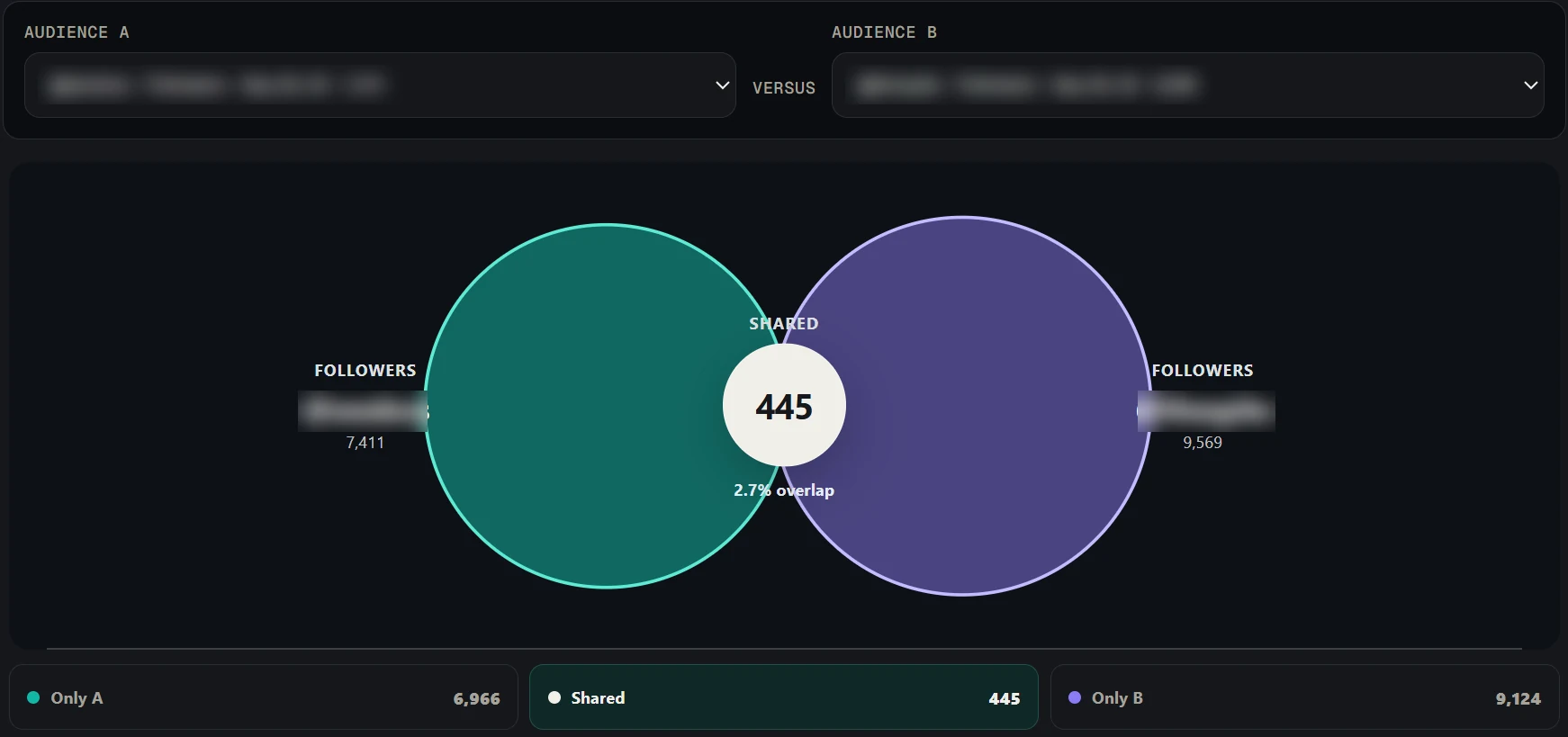
To compare your X audience with a competitor’s, scan both accounts with Revealed and open Compare. It shows the followers you share, the followers unique to each account and the language each audience uses to describe itself, so you can see exactly where the two audiences overlap and where they do not. Comparison is a Pro feature.
The answer in full
Comparing your X audience with a competitor's tells you how much of your reach you share and where each of you is unique. In Revealed, you scan both accounts, then open Compare, which is a Pro feature. It shows the followers the two accounts have in common, the followers only one of them has, and the words each audience uses to describe itself in its bios. A large overlap means you are competing for the same people. The followers only your competitor reaches show a segment you are missing, and the followers only you reach show your own distinct strength. Use the language comparison when you decide positioning and messaging, because it reflects how each group sees itself. Compare works on two audiences at a time, so to review several competitors, compare each one against your own account in turn. Re-scan before a decision, because the comparison reflects the followers at the time you scanned.
Step by step
- 01
Scan both accounts
Scan your own account and the account you want to compare it with. Both scans are saved in your browser so you can come back to them.
- 02
Open Compare
Choose the two audiences. Revealed lines them up side by side.
- 03
Read the overlap
The shared followers are the audience you both already reach. A large overlap means you are competing for the same people.
- 04
Study the exclusive segments
People who follow only them show what they reach that you do not. People who follow only you show your own distinct strength.
- 05
Compare the language
The words each audience uses in its bios show how each group sees itself. Use this when you decide positioning and messaging.
When the comparison is most useful
Before a campaign, to find the segment you are missing. Before a partnership, to see how many new people a creator would add. And for client reporting, where a side-by-side picture of two audiences makes the case faster than a table of counts.
What to keep in mind
- Compare is available on the Pro plan.
- It compares followers of two accounts at the time you scanned them. It does not track change over time on its own, so re-scan to refresh.
Common questions
01Can I compare more than two audiences?
Revealed compares two audiences at a time. To compare several competitors, compare each one against your own account in turn.
02What does audience overlap mean?
Overlap is the set of people who follow both accounts. It shows how much of your reach is shared with the other account and how much each one adds.
03Does Revealed upload the followers I scan?
No. Scans run in your own browser and the audience data (profiles, bios, analytics and exports) stays in Chrome extension storage on your device. Revealed’s servers only handle your account, plan and billing.