
How to audit an influencer’s followers on X
To audit an influencer’s followers on X, scan the public follower list of their account with Revealed, then review how those followers describe themselves (roles, interests and locations) and whether clusters of bios look copy-pasted. A follower count says how many people follow; an audit says who they are and whether they match the people you want to reach.
The answer in full
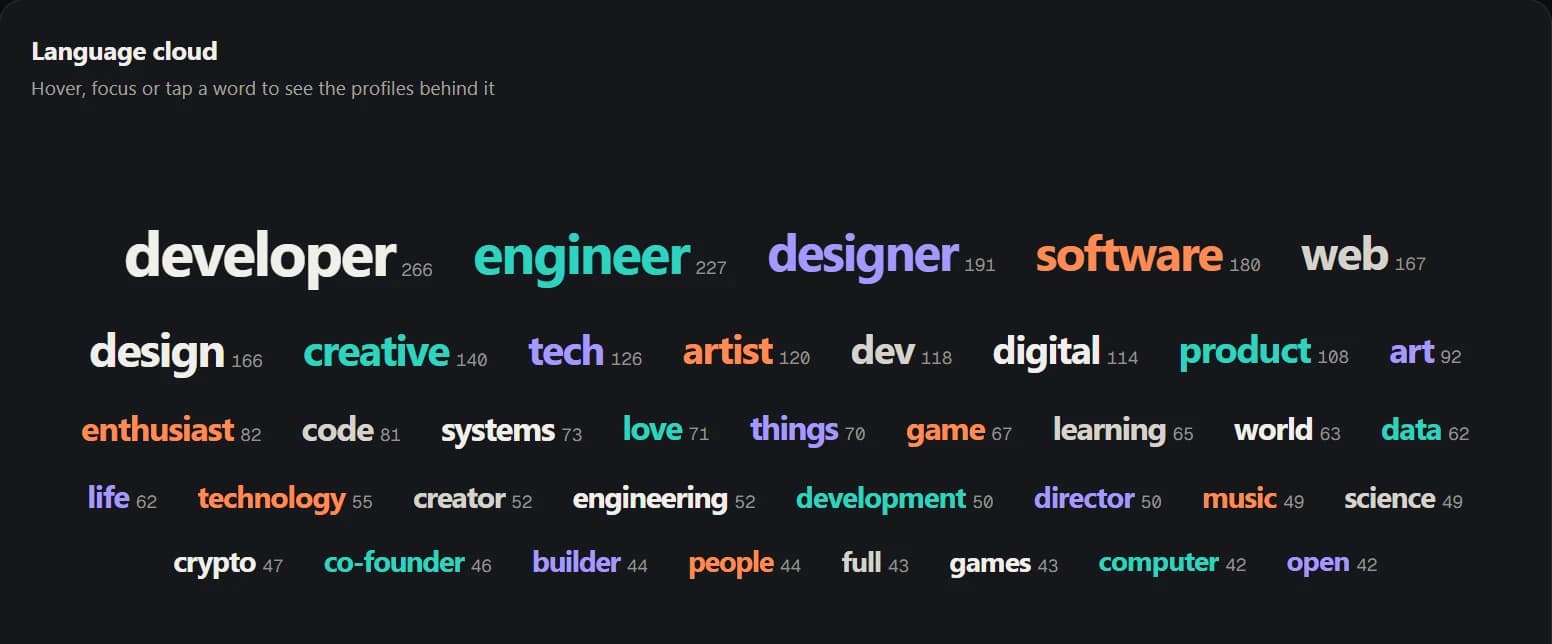
Auditing an influencer's followers on X means checking who the audience is, not only how large it is. With Revealed, you scan the public follower list of the account in your own browser, then read the audience in layers. Bio signals group followers by the roles and interests they put in their bios, so you can see whether the audience is mostly founders, engineers, designers or people with no connection to your market. Geography shows where followers say they are based. Its Audience quality view shows how many followers carry caution signals such as no bio or very few posts, and Revealed highlights copy-pasted bios. Finally, comparing the influencer's audience with your own shows how many relevant people they would add that you do not already reach. The result is a fit check you can finish before agreeing a rate. It describes audience composition. It does not measure engagement or prove that any single account is real.
Step by step
- 01
Scan the influencer’s followers
Open the influencer’s profile on X and click the Revealed button next to their follower count, or type their handle into the extension. Revealed reads the public follower list from your own signed-in browser. You can pause, resume or stop the scan at any point.
- 02
Read the overview first
The audience overview shows how the follower list breaks down. It is the quickest way to see whether the audience is broad and generic or concentrated around a topic or profession.
- 03
Check roles and interests
Bio signals group followers by what they say about themselves, such as founders, engineers, designers or marketers. Compare those groups with the customer profile you are trying to reach.
- 04
Check where they are
Geography shows where followers say they are based. If your launch is in the UK and Germany, a creator whose audience sits elsewhere is a weaker fit however large the following.
- 05
Check audience quality (Pro)
Open Audience quality, a Pro view, to see how complete the followers’ profiles are and how many carry caution signals such as no bio, a default avatar or very few posts. Revealed also highlights bios that look copy-pasted across many accounts. These are prompts to look closer, not verdicts on any individual account.
- 06
Compare with your own audience
Scan your own account too, then use Compare. The useful number is how many relevant people the influencer reaches that you do not already reach.
What a good result looks like
A good fit is an audience whose roles, interests and locations line up with your customers, with a meaningful share of people you do not already reach. A large audience with little overlap with your customer profile is a worse buy than a smaller, well-matched one.
Treat the first scan as a screening step. If two or three creators survive it, the remaining decision is about content quality, rates and brand fit, which Revealed does not measure.
Why not just look at the follower count?
Follower counts include inactive accounts, people who followed years ago for a different reason, and accounts that exist to follow other accounts. Reading the bios of the people who follow is slower by hand and does not scale beyond a few dozen profiles. Revealed does the reading for the whole list and groups the results.
What to keep in mind
- Roles, interests and locations come from what people write in their own bios and profiles. People who leave them blank or write something playful are not captured.
- Revealed does not measure engagement, post performance or reach, and does not make claims about whether any single account is fake.
- It only reads follower lists you can already see on X while signed in.
Common questions
01Can I see an influencer’s fake followers with Revealed?
Revealed does not label individual accounts as fake. Its Audience quality view shows how complete followers’ profiles are and how many carry caution signals such as no bio, a default avatar or very few posts, and it highlights copy-pasted bios. Together they show whether part of an audience looks low quality and is worth a closer look.
02How long does it take to audit an influencer’s audience?
The scan time depends on how many followers the account has, since Revealed collects the list as you browse. Smaller accounts finish quickly. Scans can be paused and resumed, so large accounts do not need to be done in one sitting.
03Does Revealed upload the influencer’s followers anywhere?
No. Scans run in your own browser and the audience data stays in Chrome extension storage on your device. Revealed’s servers only handle your account, plan and billing.
04Does Revealed upload the followers I scan?
No. Scans run in your own browser and the audience data (profiles, bios, analytics and exports) stays in Chrome extension storage on your device. Revealed’s servers only handle your account, plan and billing.