
How to show sponsors who your X audience is
To show sponsors who your X audience is, scan your own followers with Revealed and present the breakdown of their roles, interests and locations instead of a follower count alone. You can export the data as a spreadsheet or share a map image, which gives a sponsor evidence that your audience matches the customers they want.
The answer in full
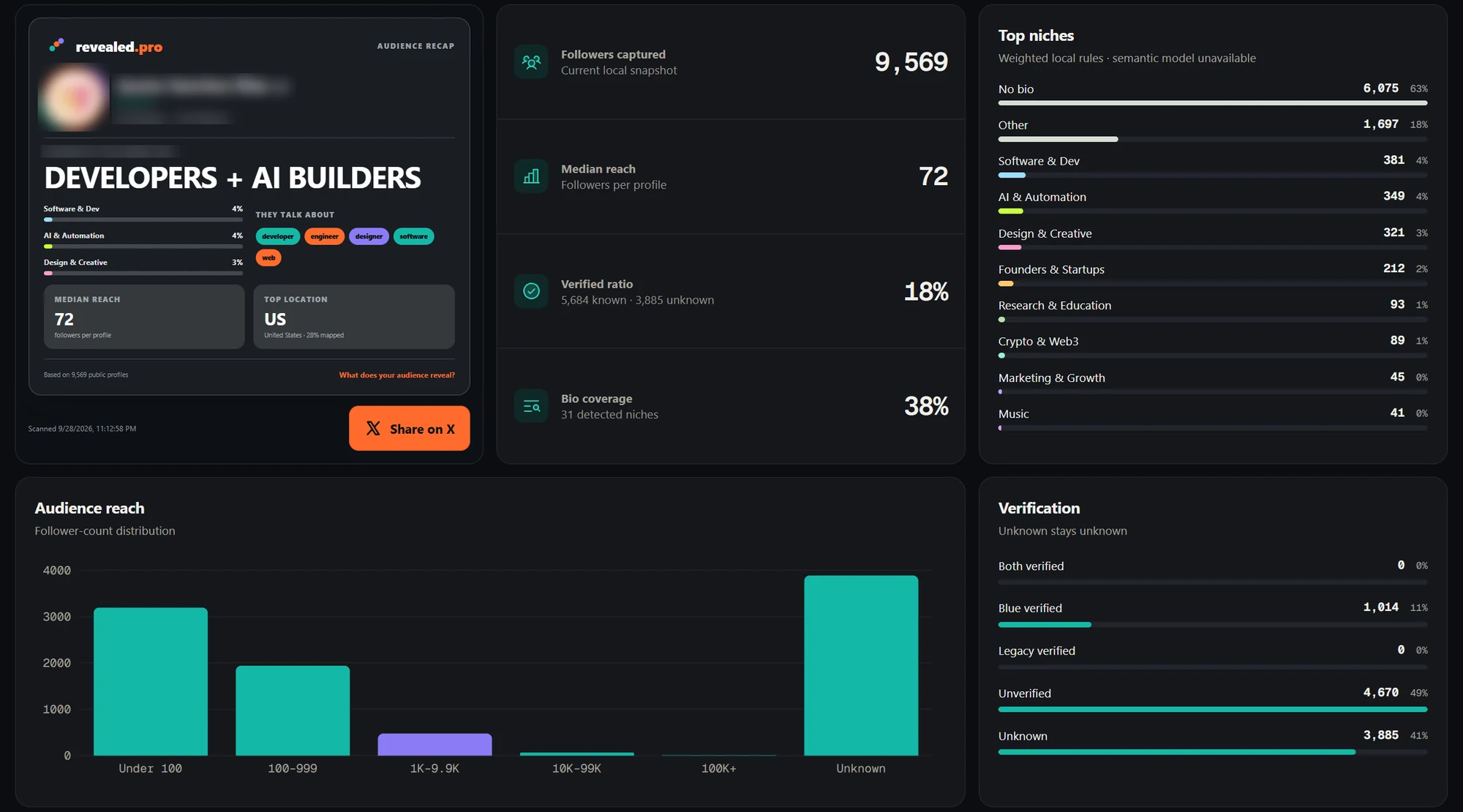
Sponsors pay for access to customers, so a follower count alone rarely persuades them. To show a sponsor who your X audience is, scan your own followers with Revealed and build the pitch from the breakdown. Bio signals show the roles and interests in your audience, Geography shows where followers are based, and Influencers lists the most influential people already following you, which is useful social proof. Pick the facts that match the sponsor's customer and lead with them, then export the audience as a spreadsheet or share a map image for your media kit. This lets you price on audience quality instead of size, and it lets a sponsor judge fit immediately. Be clear about what the data covers. Roles and locations come from public bios and are self-reported, and Revealed does not measure how your posts perform, so pair it with your own post analytics when a sponsor asks about engagement or reach.
Step by step
- 01
Scan your own followers
Run Revealed on your account so the breakdown is built from your real audience.
- 02
Pick the facts a sponsor cares about
Choose the roles, interests and locations that match the sponsor’s customer. Lead with those.
- 03
Show influential followers
Influencers lists the most influential people already following you, which is useful social proof.
- 04
Export your media kit data
Export the breakdown as a spreadsheet or share a map image and drop it into your media kit or pitch.
Why this works better than a follower count
Sponsors buy access to customers. A breakdown that says who your followers are and where they live lets a sponsor judge fit immediately, and lets you price on audience quality rather than size.
What to keep in mind
- Revealed shows who follows you. It does not report how your posts perform, so pair it with your own post analytics.
- Roles and locations come from public profiles and are self-reported.
Common questions
01What should a creator include in a media kit for X?
Include who the audience is (roles, interests and locations), your most influential followers, and your own post performance. Revealed provides the first two from your followers.
02Do I need Pro?
Scanning and CSV export are free. Bio signals, geography and the influencers view are Pro features and are the parts sponsors usually care about most.
03Does Revealed upload the followers I scan?
No. Scans run in your own browser and the audience data (profiles, bios, analytics and exports) stays in Chrome extension storage on your device. Revealed’s servers only handle your account, plan and billing.